
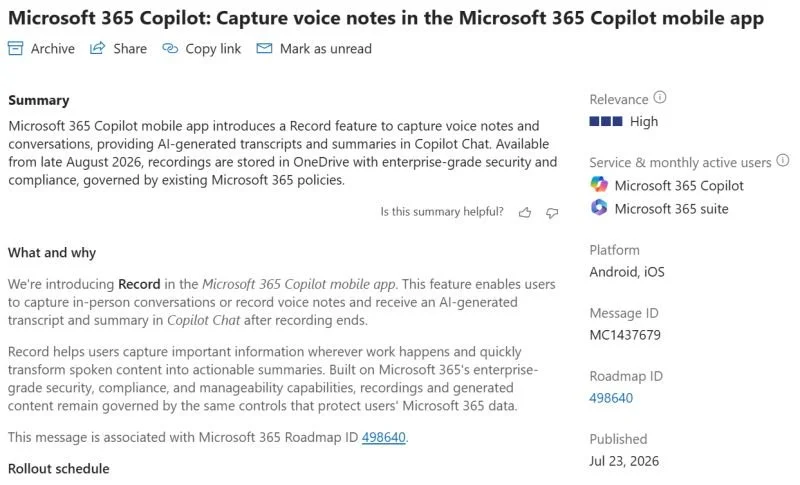
A new Frontier capability is coming to Microsoft 365 Copilot: capture voice notes in the Microsoft 365 Copilot app.
You will soon be able to use a Record feature in the Microsoft 365 Copilot mobile app to record in-person conversations or voice notes. These recordings will be stored in OneDrive for Business, and the AI outputs presented in Copilot Chat. This seems like a useful new on-the-go entry point for Copilot. The feature is rolling out to Frontier now and will be moving to General Availability from August.
The hidden wrinkle under this announcement though is that Microsoft 365 Copilot users already have two different ways to do this same thing, each with similar outputs, but different entry points, and different data handling under the hood.
In Teams on mobile, we can directly initiate a meeting with Facilitator agent, it captures the conversation going on around it and prepares a transcript and notes. These assets live as a meeting recap associated with the session recording it, so they are able to be surfaced and addressed in whatever workflow you use around Teams meetings. This solution is equally happy to just capture the user's own voice as to listen in on a conversation.
In OneNote on iOS, we can capture audio in the context of a Copilot Notebook. OneNote can capture audio for multiple speakers, create a transcript, write notes, and add the output to a specified Copilot Notebook of your choice. This content is then available everywhere Notebooks surface and to all users with access to that Notebook, but all you get is notes and a transcript, the recording itself is not retained.
Both of these approaches make logical sense based on the intended use of platform they live in. Teams is all about meetings, so why not extend that to in person conversations or your personal spoken notes? OneNote is still the core notetaking tool for many users, so extending its audio capture capability to multi-person meetings and dropping those assets into a shared AI canvas in the form of a Copilot Notebook makes a lot of sense too.
This third path for doing much the same thing probably will work just as well and adds some slightly different capabilities. But it creates a different surface, a different route through which assets are stored, and a different entry point for getting back to the content. From a technical perspective, this is a move forward, but from an adoption perspective, it is a move backward.
The biggest challenge I see to Copilot adoption is not the technology. Those who start using Copilot for the first time (and those returning to it after a break) are almost universally impressed by the range and depth of capabilities across the product. But where a barrier does exist is complexity. The options can feel overwhelming, and decision fatigue is a real problem when every type of work has multiple entry points that end up in slightly different results. Simplifying these options is a big part of my adoption approach with clients.
First posted on Linkedin on 07/31/2026 → View Linkedin Post Here