
A Small Copilot UI Change With Big Prompting Implications
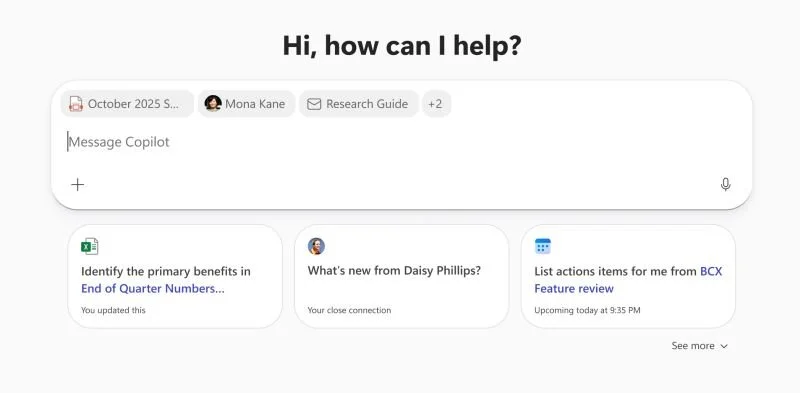
Your Microsoft 365 Copilot prompts in Copilot Chat are going to start to look a little different, but will they work the same?
Rolling out to General Availability now is an update to how added grounding content shows up in your prompts. Instead of the document, person, or other asset reference showing up inline in the prompt, it will now *only* appear at the top of the prompt box.
Will this have an impact on your Copilot use?
For simple prompts, it will probably make little difference to how Copilot interprets your input, but it could have a readability impact for human users.
However, I will be interested to see how this impacts prompts where a specific asset is required in a particular place in the chain of logic being requested (we have [new contract a], compare this to [old contract b] and [vendor meeting] to ensure what was agreed at the meeting is integrated into the new contract), as I suspect this will require a certain amount of redesigning those prompts to ensure Copilot understands which asset is which.
First posted on Linkedin on 02/18/26 -> View Linkedin post here