
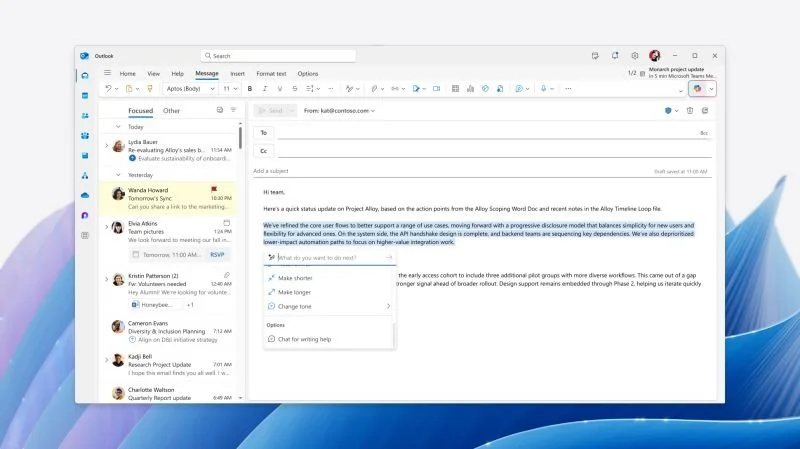
AI-assisted email drafting in Outlook is changing to bring more Copilot capabilities directly to the canvas. Rolling out to GA now, this update will allow you to create, refine, and edit email more directly.
There's been a bunch of changes on how to use Copilot in the M365 apps over recent months, and it seems that the direction of all-in on agent mode (now named Edit with Copilot) from the chat pane is returning to a more nuanced and contextual experience. This makes sense, as chat is often an extremely poor control surface for fine grained change.
What's still missing from Copilot though is a suite-wide contextual approach to common needs like editing text. It would make far more sense to me in terms of useability if, for example, when you highlight text, the core UX and options surfaced are the same across Outlook, Word, OneNote and others. These little UI differences are a cognitive friction.
In terms of adoption-focus, the in-context Copilot capabilities in places like the Outlook message canvas are important for users to understand and serve a different purpose to chat. This is where quick access to common scenarios happen and it's good to see Outlook offering more options for the types of tasks users will want to do in that message editing context.
For more info see MC1430542 in Message center. The image I'm sharing is from that post.
Posted on Linkedin today on 07/19/2026 → View Linkedin Post Here